Computer performance is an important concern for people who use laptops and desktop computers for work, gaming, education, and entertainment. When a device becomes slow or displays low-memory warnings, users often search for simple ways to improve its speed. One unusual search term that attracts attention is DownloadMoreRamPro.
The name suggests that users can increase their computer’s Random Access Memory (RAM) by downloading something from the internet. Although the idea sounds convenient, it is based on a popular technology joke. RAM is a physical computer component, and downloading a file cannot add more physical memory to a device.
DownloadMoreRamPro is connected with this humorous concept. Exploring the idea provides an opportunity to understand computer memory, recognize misleading technology claims, and discover practical ways to improve system performance.
What Is DownloadMoreRamPro?
DownloadMoreRamPro is a name associated with the internet concept of downloading additional RAM. The idea plays on a common misunderstanding about computer hardware and software.
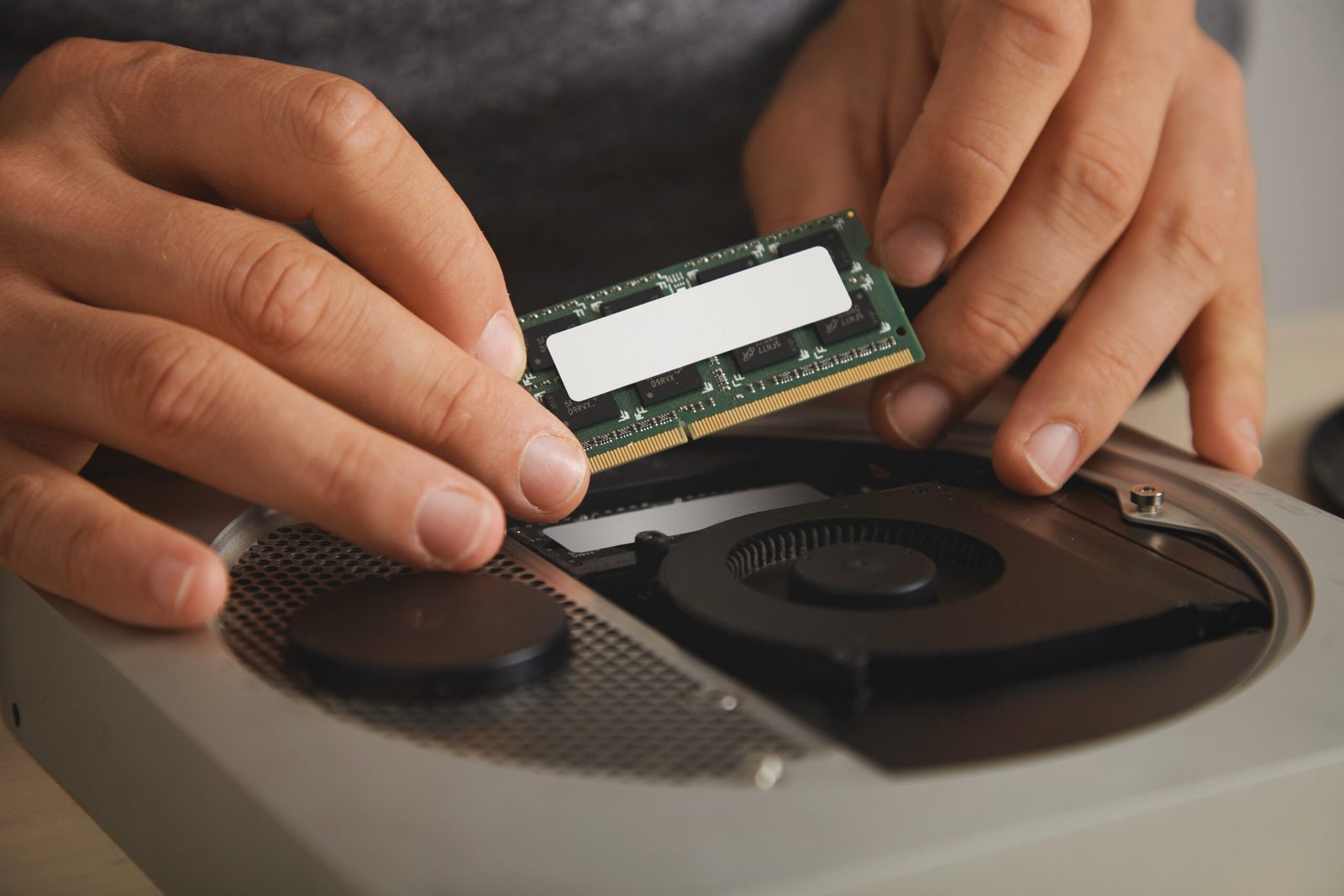
RAM is installed inside a computer and provides temporary storage for information that the processor needs while applications are running. Unlike a document, application, or image, physical memory cannot be downloaded from a website.
The Download More RAM website openly explains this limitation in its disclaimer. It describes the concept as satire and states that its purpose is entertainment rather than providing actual memory upgrades.
The name uses the familiar internet joke in a more professional-sounding way. Adding the word Pro can make the idea appear like a premium technology service, but it does not change the technical reality.
Readers should therefore distinguish between humorous websites, genuine memory-management utilities, and actual hardware upgrades.
What Does RAM Mean in a Computer?
RAM stands for Random Access Memory. It is one of the most important components in a computer because it helps the system handle information needed by currently running programs.
When someone opens a web browser, edits a document, plays a game, or uses an application, the computer loads relevant information into RAM. This allows the processor to access that information quickly.
RAM is temporary memory. Its contents are generally cleared when the computer is switched off or restarted.
A computer also uses storage devices, such as hard disk drives and solid-state drives, to retain files and applications even when the power is turned off.
Understanding the difference between RAM and storage helps explain why downloading more files cannot increase the physical memory installed in a computer.
Can You Really Download More RAM?
No. You cannot download additional physical RAM from the internet.
RAM consists of electronic memory chips installed on a computer’s motherboard or provided through a compatible memory module. Increasing its physical capacity requires suitable hardware.
A website may display a download button, a progress bar, or a selection of imaginary memory packages. These elements do not mean that additional physical memory is being installed.
Software can manage existing memory, close unnecessary processes, or change how an operating system uses available resources. However, these actions do not increase the actual capacity of the installed RAM.
For example, if a computer has 8 GB of physical RAM, downloading a file cannot turn it into a computer with 16 GB of physical RAM.
This is the central technical point behind DownloadMoreRamPro and similar online jokes.
Why Is DownloadMoreRamPro Popular?
The concept attracts attention because it combines humor with a problem that many computer users experience.
A slow computer can be frustrating. People often want a quick solution that does not require purchasing new hardware or visiting a repair shop. The idea of downloading additional memory seems to offer exactly that.
Several factors help explain the popularity of this concept.
A Relatable Computer Problem
Many users have experienced slow applications, browser delays, freezing screens, or low-memory notifications. These problems make people interested in anything that promises better performance.
The joke takes this familiar frustration and presents an intentionally unrealistic solution.
Simple and Memorable Name
DownloadMoreRamPro is straightforward and easy to understand. The name immediately communicates the idea of obtaining additional memory through a download.
Its professional-sounding wording also adds to the humor because the promised service is technically impossible.
Internet Meme Culture
Technology communities have used the phrase download more RAM as a joke for years. It is often shared in discussions about computer upgrades, troubleshooting, and beginner technology questions.
Websites based on the concept turn the joke into an interactive experience.
Curiosity About Computer Hardware
The concept can encourage people to ask useful questions about how computers work. Someone searching for DownloadMoreRamPro may discover the difference between RAM, storage, virtual memory, and memory-management software.
In this way, a humorous idea can become an introduction to basic computer education.
How Does the Download More RAM Concept Supposedly Work?
Satirical RAM websites often imitate the appearance of real software or hardware services.
A visitor may see options that suggest different memory capacities, imaginary technology features, or a button promising an instant upgrade.
These features are part of the joke. They do not create new memory chips or change the hardware installed in a computer.
Some versions of the concept may use fictional terms such as cloud memory or advanced memory delivery. Although cloud computing is a genuine technology, it does not mean that remote servers can provide ordinary local RAM with the same speed and function as physical memory installed in a computer.
There are real technologies that improve memory management, but they work within the limits of the device’s hardware and operating system.
Difference Between Physical RAM and Virtual Memory
Physical RAM and virtual memory are related, but they are not the same thing.
Physical RAM is the actual memory installed in a computer. Virtual memory is a memory-management technique that allows an operating system to use storage space to support memory requirements.
When physical RAM becomes heavily occupied, an operating system may move some information between RAM and storage. This can help applications continue operating when memory resources are limited.
However, storage devices are generally much slower than RAM. Using virtual memory does not provide the same performance as adding physical memory.
The following table explains the main differences.
| Feature | Physical RAM | Virtual Memory |
|---|---|---|
| Meaning | Actual hardware memory | Memory-management technique |
| Location | Installed memory modules or onboard chips | Uses storage as part of memory management |
| Speed | Very fast | Generally slower than physical RAM |
| Installation | Requires compatible hardware | Managed by the operating system |
| Main purpose | Supports active applications and processes | Helps manage memory when RAM is limited |
Understanding this difference helps prevent confusion about websites that claim to download additional memory.
Does RAM Booster Software Actually Work?
RAM booster applications are different from websites that claim to download physical memory.
Some memory-management utilities attempt to reduce memory usage by closing background applications, managing processes, or clearing certain temporary data.
These actions may help in specific situations, but their results depend on the computer and the software being used.
Modern operating systems already manage memory automatically. RAM being occupied does not necessarily mean that the computer is performing poorly. Operating systems often use available memory to improve application performance.
Installing several memory-cleaning applications can sometimes create additional background activity instead of improving performance.
Before using any third-party optimization utility, check its developer, reputation, permissions, reviews, and download source. Avoid programs that promise impossible results or request unnecessary access to personal information.
Practical Ways to Improve Computer Performance
If your computer is running slowly, there are several realistic steps you can take without relying on DownloadMoreRamPro.
Close Unnecessary Applications
Running too many applications simultaneously can increase memory usage.
Close programs that you are not currently using. Check whether unnecessary applications are running in the background, particularly on computers with limited RAM.
This can make more memory available for the tasks that matter.
Manage Startup Applications
Some applications automatically launch when a computer starts. Too many startup programs can increase boot time and consume system resources.
On Windows, you can review startup applications through Task Manager.
Disable programs that do not need to launch automatically, but avoid turning off important security or system-related services.
Restart Your Computer
Restarting can resolve temporary software problems and close processes that have become unresponsive.
If your computer has been running continuously for a long time, a restart may improve responsiveness.
It is a simple troubleshooting step that does not require installing additional software.
Keep Your Operating System Updated
Operating system updates can include security improvements, bug fixes, compatibility changes, and performance enhancements.
Install updates through the official update settings of your operating system. Avoid downloading unofficial update packages from unfamiliar websites.
Check Available Storage
A nearly full storage drive can contribute to system problems and leave insufficient space for temporary files and operating system tasks.
Remove unnecessary files, uninstall applications you no longer use, and move large personal files to suitable external or cloud storage.
Always check files before deleting them to avoid removing important information.
Scan for Malware
Malicious software can use system resources, run unwanted background processes, and affect computer performance.
Use a reputable security application and keep its protection features updated.
Avoid unknown downloads and suspicious attachments, especially when they claim to provide free performance upgrades.
Consider a Solid-State Drive
If your computer still uses an older mechanical hard drive, moving to a compatible solid-state drive can improve boot times and application loading.
An SSD does not increase physical RAM, but it can make the overall system feel considerably more responsive.
Check your computer’s hardware compatibility before purchasing a replacement drive.
How to Upgrade Physical RAM
If your computer regularly runs out of memory, installing additional physical RAM may be a suitable solution.
However, not every computer supports a memory upgrade. Some laptops have memory permanently attached to the motherboard, while other devices have accessible memory slots.
Follow these general steps before upgrading.
- Identify your computer’s exact model.
- Check the manufacturer’s memory specifications.
- Find out the maximum supported RAM capacity.
- Confirm the supported memory generation and configuration.
- Purchase compatible memory from a reputable seller.
- Follow the manufacturer’s installation instructions or consult a qualified technician.
- Restart the computer and confirm that the new memory is recognized.
Compatibility matters. Buying a memory module simply because it has a large capacity does not guarantee that it will work with your device.
For laptops and desktops, the supported memory type, number of slots, maximum capacity, and other hardware specifications can differ.
Is DownloadMoreRamPro Safe?
The name alone cannot establish whether a particular website or downloadable file is safe.
The official Download More RAM disclaimer describes the concept as a satirical website and makes clear that real RAM cannot be downloaded. This is an important distinction when evaluating the idea.
However, users should not assume that every website or software download using similar wording is harmless.
Unfamiliar websites may use attractive download buttons or exaggerated performance claims to encourage visitors to install unwanted programs.
Use these precautions when exploring websites related to computer optimization:
- Check the exact website address before interacting with it.
- Read the website’s disclaimer and privacy information.
- Avoid downloading unknown executable files.
- Do not disable antivirus protection to install unfamiliar software.
- Check the software developer and independent reviews.
- Avoid providing passwords or payment details to unverified services.
- Download legitimate applications from official sources.
If a website claims that it can add physical RAM through a simple download, treat that claim as misleading.
DownloadMoreRamPro vs. Real Computer Optimization
It is useful to compare the humorous concept with genuine ways of improving a computer.
| Method | Adds Physical RAM? | Possible Benefit |
|---|---|---|
| DownloadMoreRamPro concept | No | Entertainment and technology awareness |
| Closing background applications | No | Frees currently occupied memory |
| Managing startup programs | No | Reduces unnecessary background activity |
| Operating system updates | No | May improve security and performance |
| Virtual memory | No | Helps manage memory limitations |
| Installing compatible RAM | Yes | Increases physical memory capacity |
| Upgrading to an SSD | No | Improves storage speed and responsiveness |
The table shows that different solutions address different performance problems. Choosing the right method requires understanding what is causing the computer to slow down.
Who Should Understand the DownloadMoreRamPro Concept?
The concept can be useful for several groups of people, particularly those learning about computer hardware and internet culture.
Beginners: New computer users can learn that RAM is a physical component rather than a downloadable application.
Students: The concept can introduce basic lessons about computer architecture, hardware, software, and digital literacy.
Technology Enthusiasts: People interested in internet memes may recognize DownloadMoreRamPro as part of the broader culture of technology humor.
Computer Owners: Anyone experiencing slow performance can use the concept as a reminder to investigate genuine hardware and software solutions.
Parents and Educators: The joke can provide a simple starting point for explaining how computer memory works and why online claims should be evaluated carefully.
Common Myths About Downloading RAM
Several misunderstandings are associated with the idea of downloading additional computer memory.
Myth 1: A website can install physical RAM.
Reality: Physical RAM requires compatible hardware. A website cannot create or install additional memory chips through a normal download.
Myth 2: Virtual memory is the same as physical RAM.
Reality: Virtual memory uses storage as part of memory management. It does not provide the same performance as physical RAM.
Myth 3: Every RAM cleaner improves computer speed.
Reality: Memory-cleaning utilities have varying results. Some may provide little benefit, and unnecessary background tools can make performance worse.
Myth 4: More RAM always makes every computer faster.
Reality: Additional RAM helps when memory capacity is a bottleneck. Other issues, such as a slow processor, outdated storage, overheating, or software problems, may require different solutions.
Myth 5: A professional-sounding download page must be legitimate.
Reality: Website names, graphics, and marketing language do not prove that a technology claim is genuine.
Conclusion
DownloadMoreRamPro is associated with the humorous idea that computer memory can be increased through an internet download. The concept is based on a long-running technology joke, not a genuine method of upgrading computer hardware.
RAM is a physical component that stores information needed by active applications. Although software can manage existing memory and virtual memory can help an operating system handle resource limitations, neither method creates additional physical RAM.
If your computer is running slowly, consider practical solutions such as closing unnecessary applications, managing startup programs, updating your operating system, checking for malware, and upgrading compatible hardware when necessary.
Understanding the difference between a joke and a genuine technology solution can help you make safer decisions and avoid misleading performance claims.
Frequently Asked Questions
1. What is DownloadMoreRamPro?
DownloadMoreRamPro is a name associated with the internet joke about downloading additional computer RAM. The concept suggests an impossible hardware upgrade through an internet download and is connected with satirical technology content.
2. Can I really download more RAM for my computer?
No. RAM is physical hardware installed inside a computer or attached to its motherboard. Increasing its capacity requires a compatible hardware upgrade, not a software download.
3. Is DownloadMoreRamPro a real RAM upgrade tool?
The Download More RAM website describes its concept as satire and explains that actual RAM cannot be downloaded. Users should not confuse humorous website features with genuine hardware upgrades.
4. Can RAM booster software increase physical memory?
No. RAM booster software cannot increase the physical memory installed in a device. Some utilities may manage existing memory usage, but their effectiveness depends on the computer and the software.
5. What is the best way to increase RAM on a laptop or desktop?
The practical method is to install compatible physical memory, provided the computer supports an upgrade. Check the manufacturer’s specifications for supported RAM types, maximum capacity, and installation requirements before purchasing memory.
| Read more: |